
How to host a Shipaton IRL event.
Shipaton IRL events are local gatherings for app builders during Shipaton. Bring together your local app-dev community, student group, or meetup, and RevenueCat will help with swag, resources, and promotion.
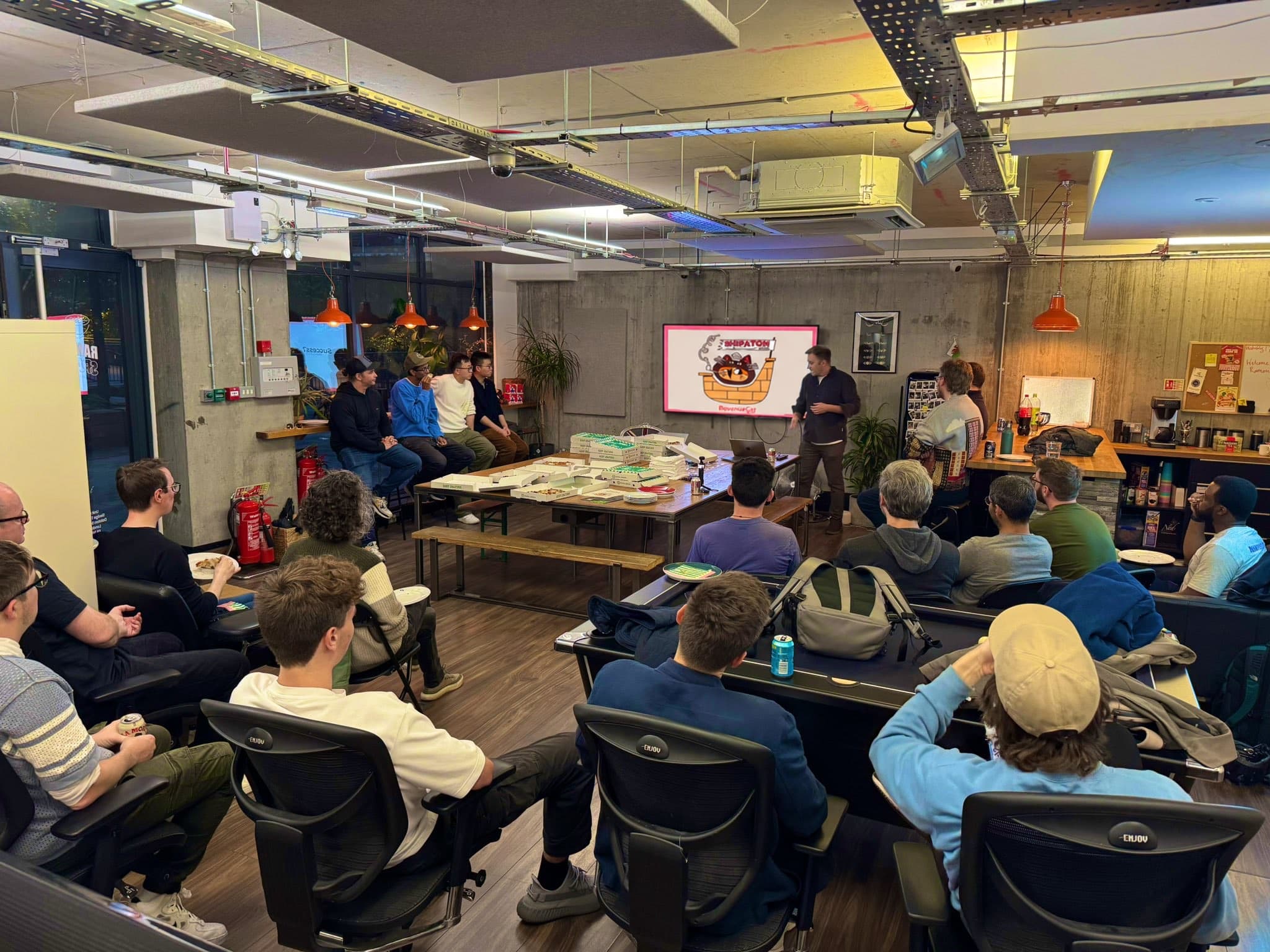
The Vibe
A good Shipaton IRL event should feel casual, useful, and builder-oriented: people hanging out, eating food, meeting other indie devs, and getting excited to ship something.
Talks do not need to be deeply technical. Shipaton brings in indie engineers, designers, growth-minded builders, students, first-time app makers, and people experimenting with AI app-building tools. The best events make all of those people feel welcome.
Suggested Run of Show
A simple 90-minute to 2-hour format works well:
- Welcome people and let them grab food
- Give a quick intro to Shipaton using the provided slides
- Run one or two short talks, demos, or app founder stories
- Invite attendees to share what they are building
- Give away swag and the trophy however you want
- Leave time for casual conversation
You do not need formal talks. One person demoing an app can be enough to open the floor. Ask people what they are building, invite quick feedback, and let the room do some of the work.
Meetup-in-a-box
Once your event is finalized, you will receive an email with the link to order your Meetup-in-a-box. Please order it as soon as possible so there is time for shipping and customs if needed.
What's in the box
- Shipaton stickers
- Shipaton T-shirts
- Swag you can hand out as prizes
- A Ship-a-little trophy
- Links to the opening slide deck and host resources
- Promotion through Shipaton channels
The swag is there to make the event more fun, not more formal. Tell people how they can win something and keep it visible.
- Reward people who demo, give feedback, introduce themselves, or help the room participate.
- Let attendees vote for favorite projects with a show of hands, a quick poll, or a QR code form.
- Use Spin-a-ton for raffles, trivia winners, or random prize picks.
- Run quick trivia or conversation prompts to get the room warmed up.
If you want a quick randomizer, use Spin-a-ton for raffles, trivia winners, or a custom wheel of names.
The Ship-a-little Trophy

Your Meetup-in-a-box includes a Ship-a-little trophy. You can give it out however you want: community vote, best demo, trivia winner, most helpful attendee, funniest launch story, or anything that fits your group.
It also does not have to be awarded during the event. You can use it to encourage your community to build an app, present it later in person or online, and let the community choose the winner.
Food and Drinks
After your event is finalized, you will receive a unique Tremendous redemption link by email. You can use it to claim a gift card and order food, drinks, or other light refreshments for attendees.
Keep it simple: pizza, sandwiches, snacks, drinks, coffee, or similar meetup-friendly options are great. The goal is to make it easy for people to come, stay, and talk to each other.
Venue and Partners
If you don't already have a venue, try to find a free one first. Good options include libraries, coworking spaces, university rooms, startup offices, community spaces, and existing meetup venues.
If you're not already part of an established community, consider partnering with a local community or student organization. Good partners might include iOS, Android, Flutter, React Native, indie hacker, university, startup, design, or product groups.
To find them, look around Meetup, Luma, Eventbrite, Facebook, LinkedIn, and Twitter. Existing groups may already have an audience, venue, event page, or format, which can make organizing much easier.
Quick Checklist
Before the event
- Review your listing on the Shipaton events page and tell us if anything changed.
- Order your Meetup-in-a-box as soon as your event is finalized. The link will be in your host email.
- Share your signup link with your community.
- Use the Tremendous link from your host email to order food, drinks, or light refreshments.
- Copy and customize the opening slide deck.
- Decide how you want to distribute swag and the Ship-a-little trophy.
During the event
- Welcome everyone and introduce Shipaton.
- Point people to the official Shipaton site.
- Encourage attendees to start building, form teams, or share what they are working on.
- Take a few photos if your attendees are comfortable with it.
- Keep the room friendly, useful, and low-pressure.
After the event
- Send us any photos or highlights you would be happy for us to share.
- Let us know how it went and whether anything came up that we could improve for future hosts.
Thanks for making Shipaton feel local, welcoming, and alive for builders around the world. We're so excited to have you involved.